Dia is built for work
We’re getting Dia ready for companies of all sizes.
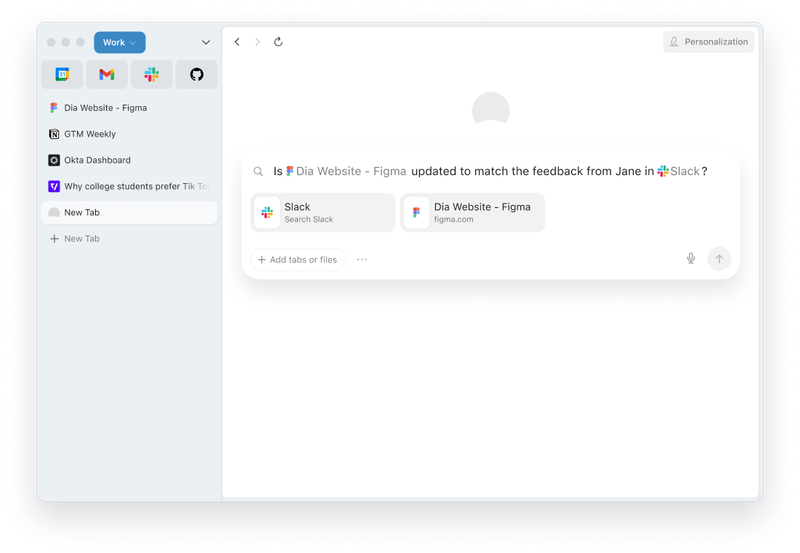

Dia is a modern, AI-native browser that helps teams work faster, built with strong security controls and enterprise-grade management in mind.
Dia brings secure, native AI workflows into your browsing and apps, so you get productivity and compliance in one place. With Dia, there is no context switching, fewer copy-and-paste loops, and strong admin controls for data, access, and updates.
Yes. The Browser Company completed a SOC 2 Type II examination for Dia covering security, confidentiality, and privacy for calendar year 2025. Our calendar year 2026 examination period is currently underway. The final report was issued in 2026. To learn more about our compliance program and to request a copy, visit trust.diabrowser.com.
Yes. Dia supports both MDM and server-side controls. You can find the full list of available controls, along with setup and usage details, at public.diabrowser.com.
Dia also supports standard Chromium enterprise policies, including Google Chrome Cloud Management (see linked page above), so your IT team can deploy and manage Dia with the tools it already uses.
Dia has zero data retention (ZDR) agreements with all partners. Users can opt out from sharing content to improve Dia (see our Privacy page), and enterprises can disable content sharing org-wide.
Yes. Dia has AI security controls at two levels.
On the device (MDM):
- Block AI usage on specific domains: Turn off Dia's AI features, including chat and Ask on Page, on domains you choose. Each rule also covers that domain's subdomains, and you can add exceptions for subdomains you want to keep open.
- Block file types: Stop users from attaching certain file types, like .pdf or .docx, to Dia's AI.
For your whole organization (Enterprise plan, server-side):
- Data Loss Prevention: Send detailed activity logs to an S3 bucket you own, giving your security team an audit trail of how Dia's AI is used.
- Connected app allowlists: Control which apps, and which specific workspaces within them (like approved Slack or Notion workspaces), Dia's AI can connect to.
- Artifact watermarking: Add a user ID and timestamp to anything Dia's AI generates and shares, so leaks can be traced.
- Usage-data opt-out: Turn off usage-data sharing for everyone, with no option for users to turn it back on.
Full details and setup instructions: public.diabrowser.com
Your data stays on your device and is stored encrypted. When you make an AI-powered request, we send only what’s needed to fulfill it (e.g., your prompt and relevant page context) through our servers to our AI partners.
Yes. Dia supports SSO through Atlassian Guard. If your organization already uses Atlassian Guard, Dia automatically enforces your existing SSO policies for your employees.
You can also use Dia's MDM policies to restrict sign-ins to approved email domains, so only your employees can access Dia.
Dia supports standard import flows from all major browsers.